Documentspwa-or-on-the-web
PWA or on the Web
Zero installation - launch instantly from any modern web browser.
Our browser-based player (PWA) turns any device with a modern web browser into a PiSignage player. Simply visit pisignage.com/player2 on the browser of your choice. There is nothing to install.
What we love!
- No installation needed - launch the player instantly from your browser.
- Works on any device - and across platforms.
- Instant deployment - open the link and you are ready to register your screen.
- Free solution - all you need is a browser.
Some considerations
- Performance varies by device & browser.
- A supported browser is required - Chrome 90+, Firefox 88+ or Edge 90+, along with an internet connection.
Setup
A Simple 3 step process
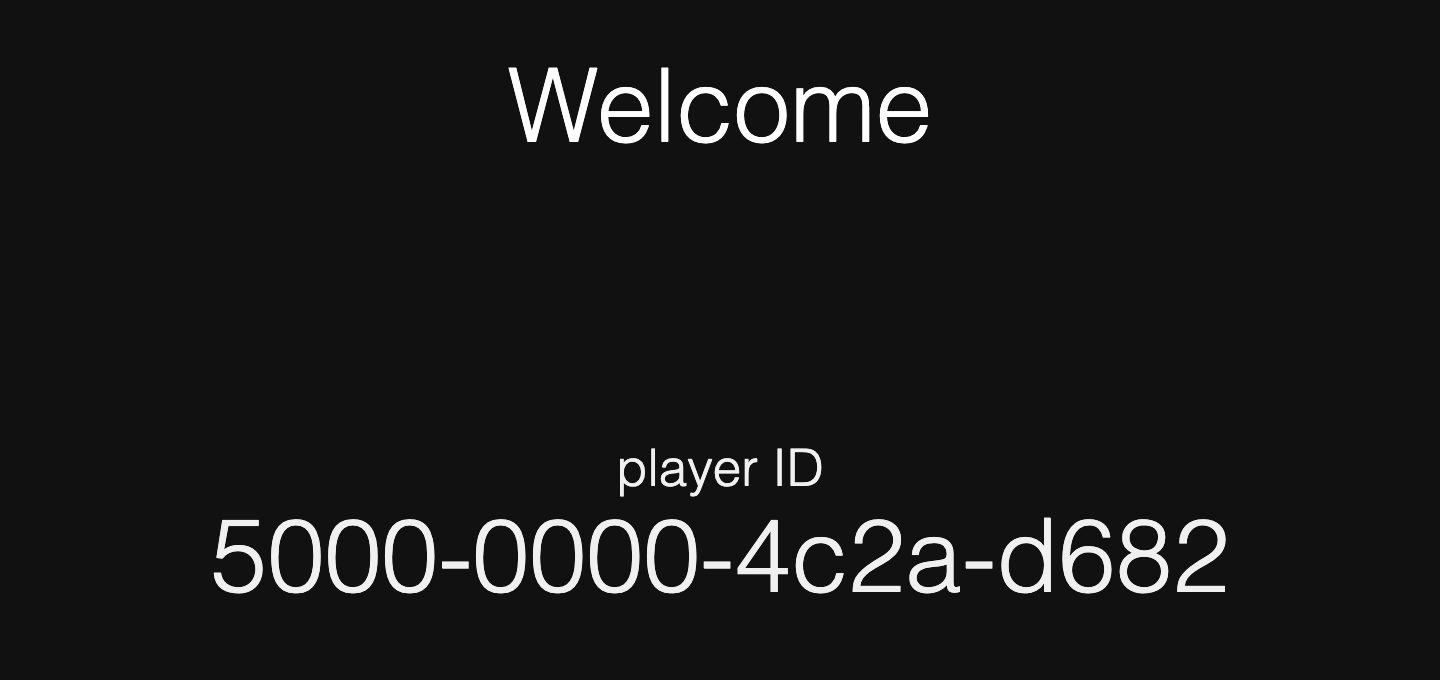
- Visit pisignage.com/player2 on the browser of your choice
- Note the 16 digit number that appears on screen
- Register your player on PiSignage.com using the 16 digit number
To register your player click on the + Add Screen button in Screens and enter the 16 digit number as the Screen ID. Screens covers all of the details you can enter when registering a screen.
To show content
- Add Assets
- Add your assets to a playlist
- Add your playlist to a group
- Deploy the group to see your content to a player